Best ChatGPT Plugins for Small Business Owners (2026): A Simple Guide
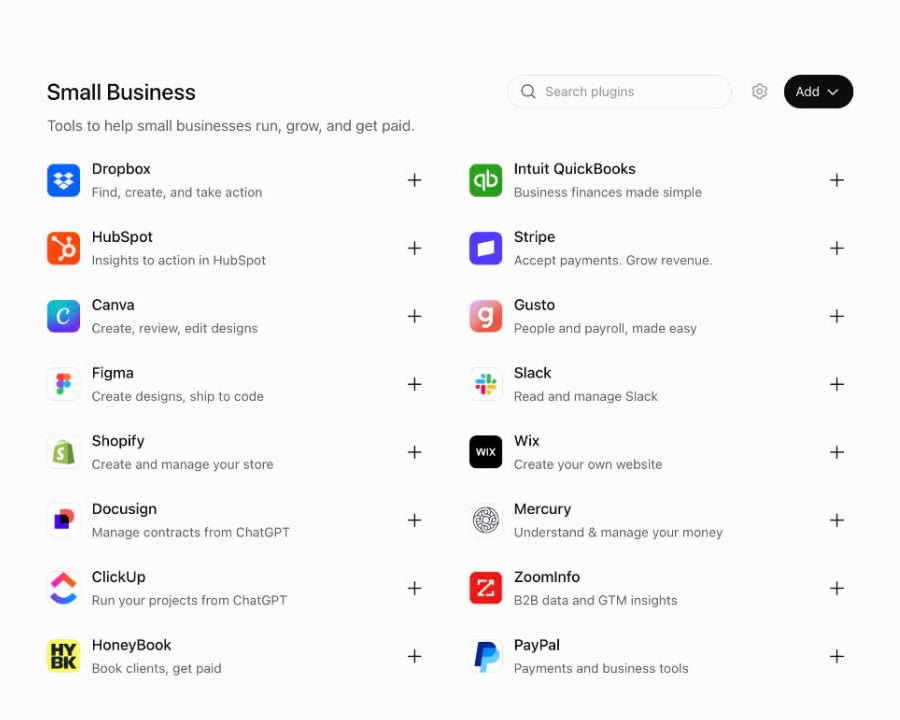
A ChatGPT plugin lets the ChatGPT you already use read, and where you allow it, act in the tools your business runs on. Instead of pasting things into the chat, the chat reaches into the tool. The plugin directory has grown fast this year, and most of the lists I have seen are written for developers.
This one is for a small business owner. I ran a bookkeeping firm for eight years before I built Switchbooks, so I lean toward tools I would trust an assistant with. Six plugins, how to install them, and a walkthrough of connecting ChatGPT to your books.
Is there a bookkeeping plugin for ChatGPT?
Yes. Switchbooks is listed in the ChatGPT plugin directory as a bookkeeping plugin, and it is the first entry below. Install it and ChatGPT can read your books, run reports, and, with your permission, post transactions, match transfers, and reconcile accounts. The step-by-step guide is ChatGPT bookkeeping plugin: how to use ChatGPT for bookkeeping.
How to install a ChatGPT plugin
- Open Plugins in the ChatGPT sidebar, or go to chatgpt.com/plugins.
- Find the plugin and click Install plugin.
- Sign in to the service when ChatGPT asks, and allow the connection.
- In a chat, type @ and the plugin's name, then your question.
ChatGPT also keeps a permission setting for each plugin under Settings, then Plugins. The default is called Allow low-risk tools, which means reads run on their own and changes ask first. You can tighten or loosen it there, and remove a plugin from the same place.
1. Switchbooks: the books
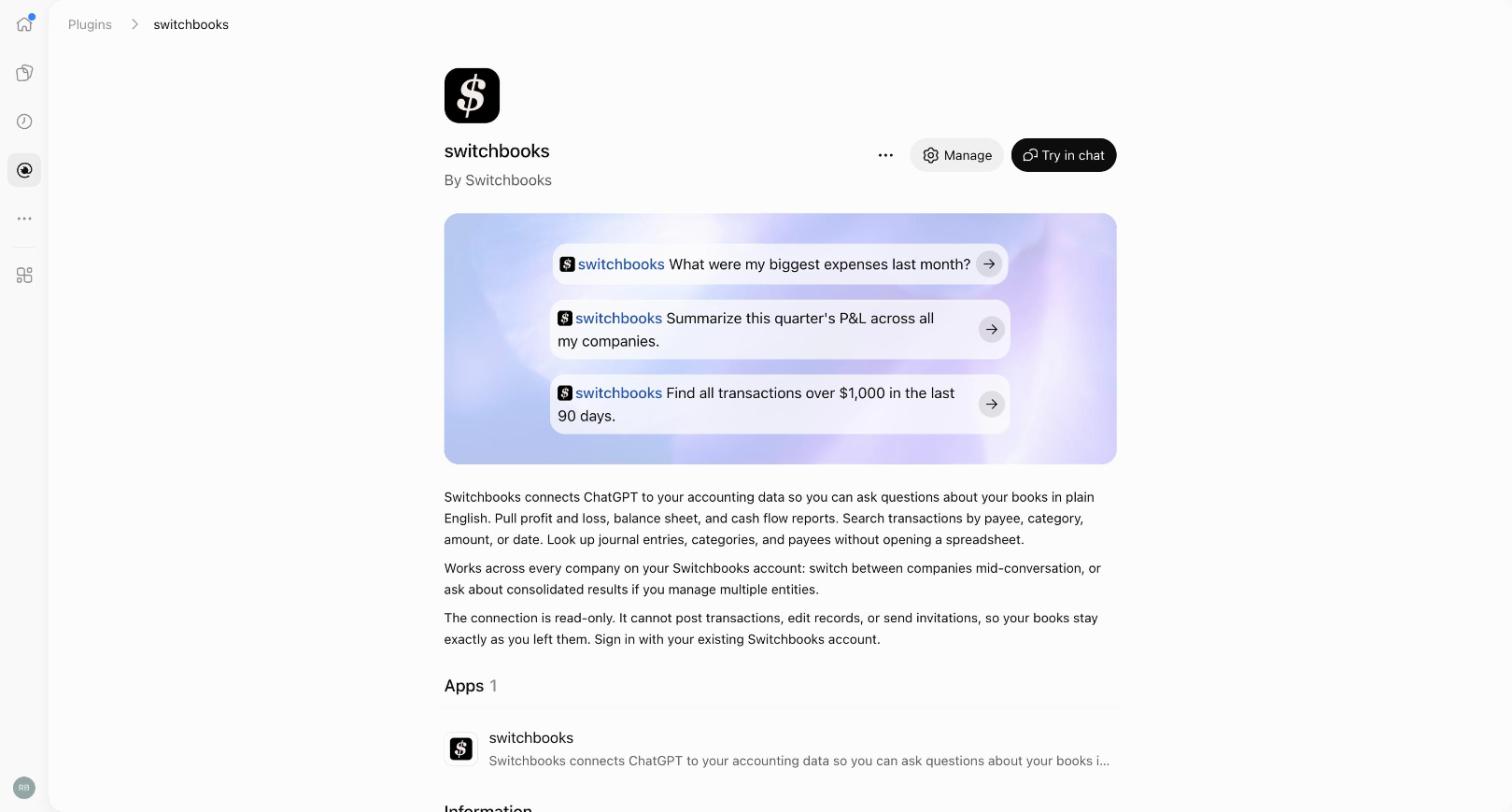
Mine, so I will say so. Switchbooks is bookkeeping software you talk to. Install the plugin and ChatGPT has a real set of books to work in, with every account, category, and rule, and the history behind them. Connected read-only, it searches transactions, runs a profit and loss, balance sheet, or cash flow for any dates, and opens the entries behind any number. With changes allowed, it categorizes and posts the rows in To Review, matches transfers between accounts, books journal entries, makes rules, and reconciles an account to its statement from a preview.
Every change is recorded in Switchbooks and most can be undone from the chat. From ChatGPT, connecting a bank and importing files stay in the Switchbooks app. No connected assistant can sign in to your bank, move money, invite or remove people, share a report, or change billing.
Things to say:
- "@switchbooks what were my biggest expenses last month?"
- "Post everything in To Review that matches a rule."
- "Find every transaction over $1,000 in the last 90 days."
- "Reconcile Chase checking to the statement ending September 30."
The listing is Switchbooks in the ChatGPT plugin directory. The full setup is further down this page.
2. Gmail: the inbox
With Gmail connected, ChatGPT can summarize what came in, find the thread you half remember, and draft replies for you to send. The daily win is asking for the three emails that actually need you.
3. Google Drive: your documents
Contracts, price lists, the spreadsheet you track jobs in. With Drive connected, ChatGPT reads your Docs, Sheets, and Slides and answers from them. "What does our contract with the Smiths say about late payment?" gets the real clause, not a guess.
4. Stripe: payments
If customers pay you through Stripe, this plugin answers "did the Johnson invoice get paid?" and "how many subscriptions did we lose last month?" from live data. I would keep it to questions unless you want ChatGPT issuing refunds.
5. Gusto: payroll
Gusto's plugin lets ChatGPT help prepare payroll, fix a timesheet, and onboard a new hire, with a confirmation before anything is submitted. Payroll is exactly where I like that extra confirmation.
6. Slack: the team
Summaries of busy channels, the decision buried in a thread, and a weekly update drafted and posted where the team will actually read it.
Connecting ChatGPT to your books, step by step
Here is the whole setup for Switchbooks. It takes about fifteen minutes, and most of that is your bank's login screen.
- Create a Switchbooks account at switchbooks.ai. Ten days free, no card. You can also create the account on the plugin's sign-in page in step three.
- Connect your bank and cards in the app. Switchbooks uses Plaid, the same connection most banking apps use. Connect every account the business uses so transfers have both sides.
- Install the plugin. Open the Switchbooks listing and click Install plugin, or search for Switchbooks under Plugins in the sidebar.
- Choose what ChatGPT may do. Sign in to Switchbooks. You will see a box labeled Allow bookkeeping changes. Check it if ChatGPT may post, edit, and reconcile. Leave it unchecked for a read-only connection. Click Allow.
- Start a chat. Type @switchbooks and say "List my Switchbooks companies," then "Use [company name]."
One note. The listing's description still describes the first version of the plugin, which was read-only. The permission screen you see when connecting is current, and the Allow bookkeeping changes box is where you decide.
Then brief ChatGPT the way you would brief a new bookkeeper on their first day. What the business does, how you get paid, what the main costs are, and anything you already know you want handled a certain way. It keeps those notes in the books, so they are still there next month. After that, "post everything in To Review you are sure about and list the rest," answer its questions, ask it to reconcile, and ask for the P&L. I wrote the full order of things to say in How to use ChatGPT for bookkeeping.
A few honest notes
Start with two plugins, not six. For most owners that is Gmail, so ChatGPT can see what is coming in, and Switchbooks, so it can see where the money went. Add the rest when they solve a problem you actually have.
Connect read-only first if you are unsure. Once you trust what ChatGPT reports, allow changes on the tools where its work is easy to review and undo. Switchbooks was built for that: every change is listed in plain words, and you can reverse it from the chat.
Switchbooks is $25 per month per company, with every feature and every connection included. The same login also works in Claude, Grok Bot, and Cursor, so a team can use whichever assistant each person prefers and the books are the same.
Read more
- 10 best ChatGPT plugins for small business, the longer list on the Switchbooks blog.
- The ChatGPT bookkeeping plugin guide, with screenshots.
- The connect tutorial for every assistant.
- Every way to connect an assistant to Switchbooks
Common questions
What is a ChatGPT plugin?
A plugin gives ChatGPT access to an outside tool, such as your books, your inbox, or your files. You install plugins from Plugins in the ChatGPT sidebar or from chatgpt.com/plugins, sign in to the service when asked, and use the plugin in a chat by typing @ and its name.
Do ChatGPT plugins cost extra?
The plugins are free to install. A plugin for a paid service needs an account with that service. Which plugins are available can depend on your ChatGPT plan, and on a workspace plan an admin may need to make a plugin available first.
Can ChatGPT do my bookkeeping?
With the Switchbooks plugin, yes. ChatGPT can read your books and run reports, and if you allow changes when you connect, it can categorize and post transactions, match transfers, book journal entries, and reconcile accounts. Every change is recorded so it can be undone.
Is it safe to give ChatGPT access to my finances?
Connect read-only when you only want answers. ChatGPT also keeps its own per-plugin permission under Settings, then Plugins. If you allow changes in Switchbooks, every change is recorded and most can be undone from the chat. No connection can sign in to your bank or move money.
How do I remove a ChatGPT plugin?
Open Settings, then Plugins, in ChatGPT, select the plugin, and remove it. A plugin's listing page also has a Manage button that takes you there.
More guides on this site
- Can AI do my bookkeeping?
- ChatGPT bookkeeping plugin: how to use ChatGPT for bookkeeping
- Claude bookkeeping connector: how to use Claude for bookkeeping
- Grok Bot bookkeeping plugin: how to give your Bot the books
- Best Claude connectors for small business
- Best Grok Bot plugins for small business
- What is Switchbooks?
- What is Ledge Accounting?